
The API service provides a low-level log for debugging and troubleshooting.
How to enable the log
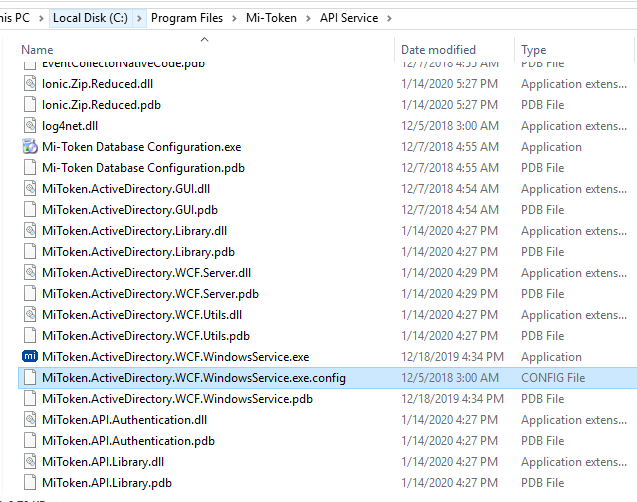
Locate the installation directory
C:\Program Files\Mi-Token\API Service

Inside the installation directory, look for the config file: MiToken.ActiveDirectory.WCF.WindowsService.exe.config
Open the file with a text editor. Notepad++ is particularly useful because it can indent the file and colorize keywords, for instance:
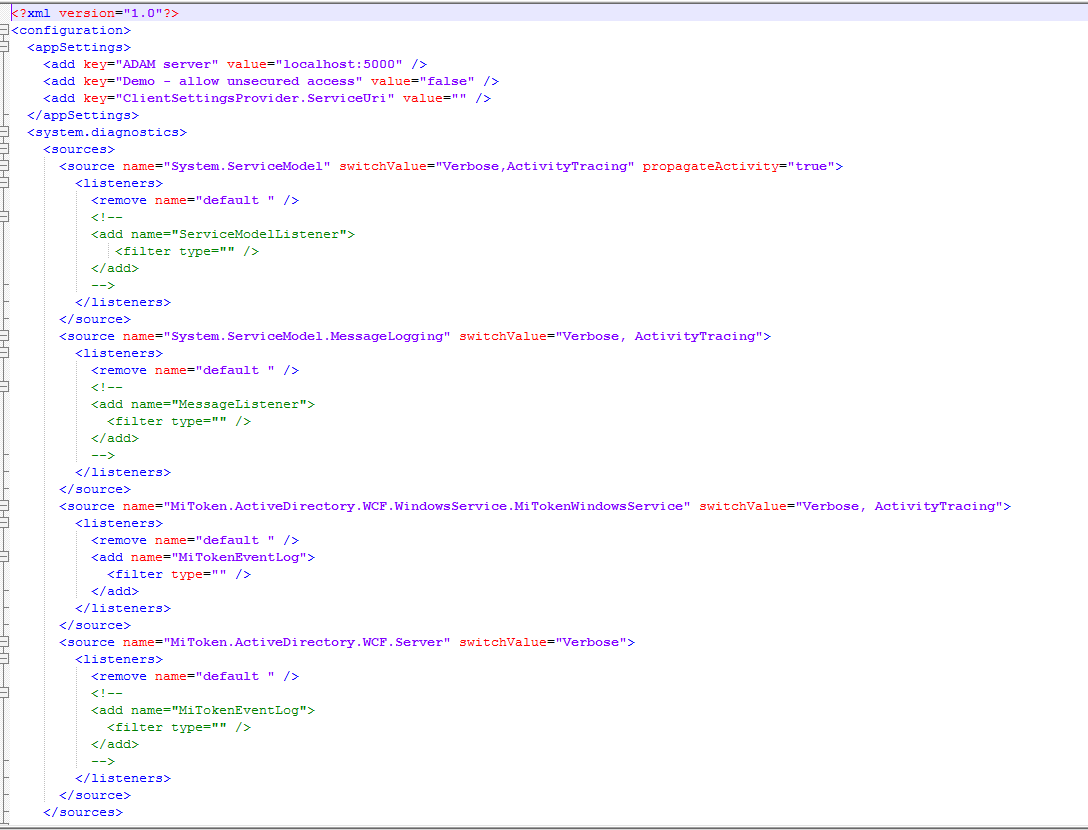
The config file is a .NET application XML config file. Look for the <sharedListeners> tag:
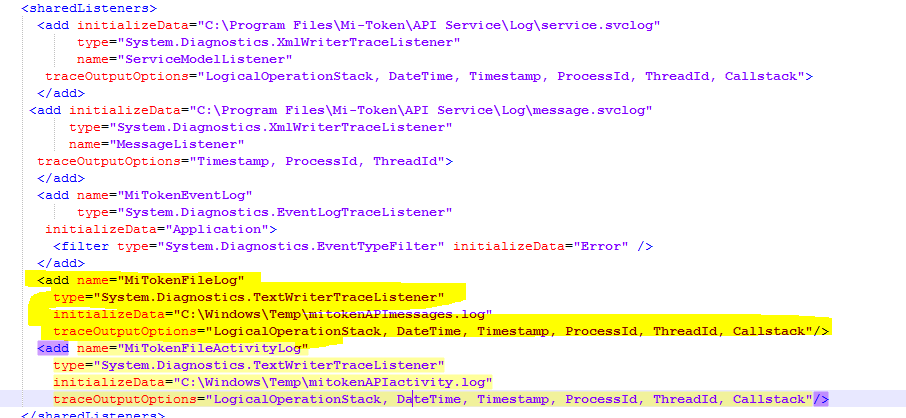
Add the following before the closing tag </sharedListeners>:
<add name="MiTokenFileLog"
type="System.Diagnostics.TextWriterTraceListener"
initializeData="C:\Windows\Temp\mitokenAPImessages.log"
traceOutputOptions="LogicalOperationStack, DateTime, Timestamp, ProcessId, ThreadId, Callstack"/>
<add name="MiTokenFileActivityLog"
type="System.Diagnostics.TextWriterTraceListener"
initializeData="C:\Windows\Temp\mitokenAPIactivity.log"
traceOutputOptions="LogicalOperationStack, DateTime, Timestamp, ProcessId, ThreadId, Callstack"/>
The modified XML file should look like this:
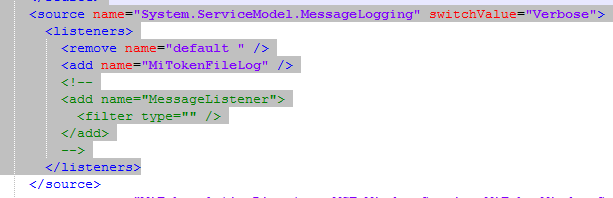
Then look for the <source name="System.ServiceModel.MessageLogging" switchValue="Verbose"> tag, and add
<add name="MiTokenFileLog" />
right below <remove name="default">
This is how it should look:
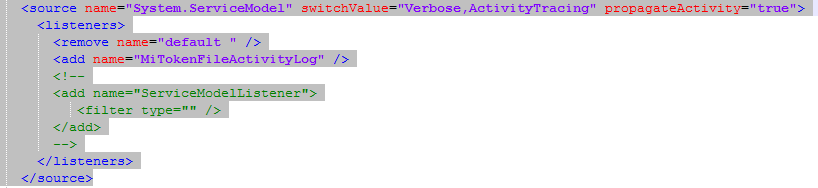
Next look for the <source name="System.ServiceModel" switchValue="Verbose,ActivityTracing" propagateActivity="true"> tag, and
<add name="MiTokenFileActivityLog" />
right below <remove name="default">
This is how it should look:
Save the file and restart the service.
Upon service restart inside
Inside C:\Windows\Temp
You should see the mitokenAPIactivity.log log file. This will log the startup sequence and other instantiation events.
Once the first authentication message reaches the service, the
Once a first request reached the server, the log file
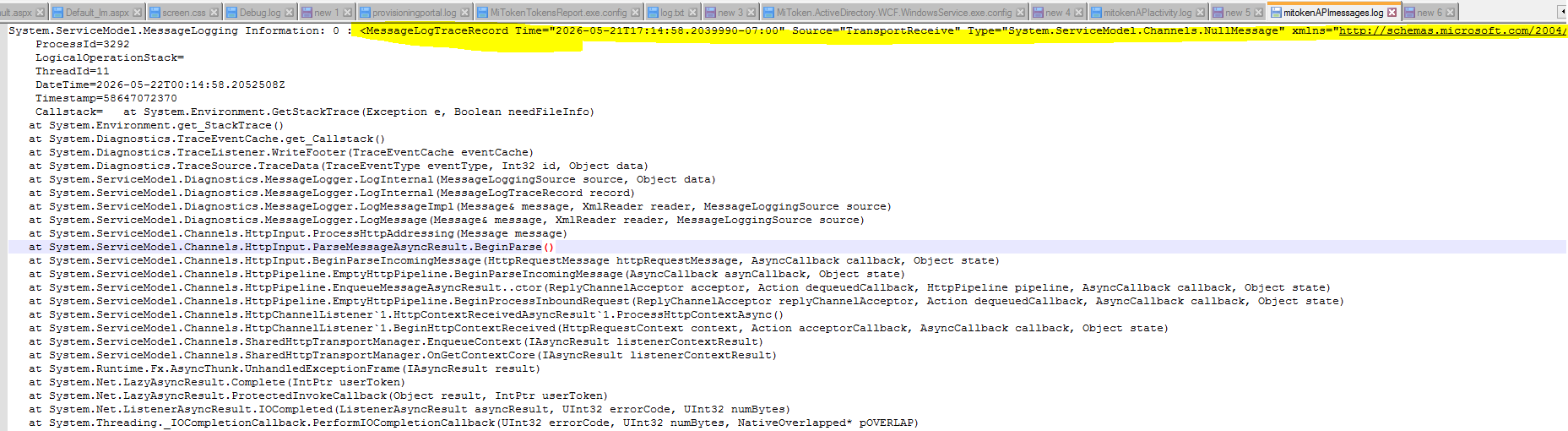
mitokenAPImessages.log
Will be created. Each message will be logged in that file.
Both files will show the activities and the given message in XML format, for example, the highlighted text in the screenshot below is the message received:
Disable the logs
To disable the logs, remove or comment out the lines added to:
<source name="System.ServiceModel.MessageLogging" switchValue="Verbose">
<source name="System.ServiceModel" switchValue="Verbose,ActivityTracing" propagateActivity="true">
And restart the service.